
YouCine for iOS (iPhone & iPad) Installation Guide, Features, Issues & Alternatives (2026)
Many users search for YouCine on iPhone or iPad, expecting the same experience they get on Android or Smart TV. However, the reality is a bit different. iOS works in a closed ecosystem, so installing APK-based apps like YouCine is not as straightforward as Android.
In this guide, we will clearly explain whether YouCine works on iOS, what your real options are, how to access similar streaming experience on iPhone/iPad, and what alternatives you can use safely.
This page is specifically written for users who are looking for YouCine iOS support, installation methods, and alternatives.
Get the Youcine APK Unlimited Free Shows in One App

Does YouCine APK Work on iPhone or iPad?
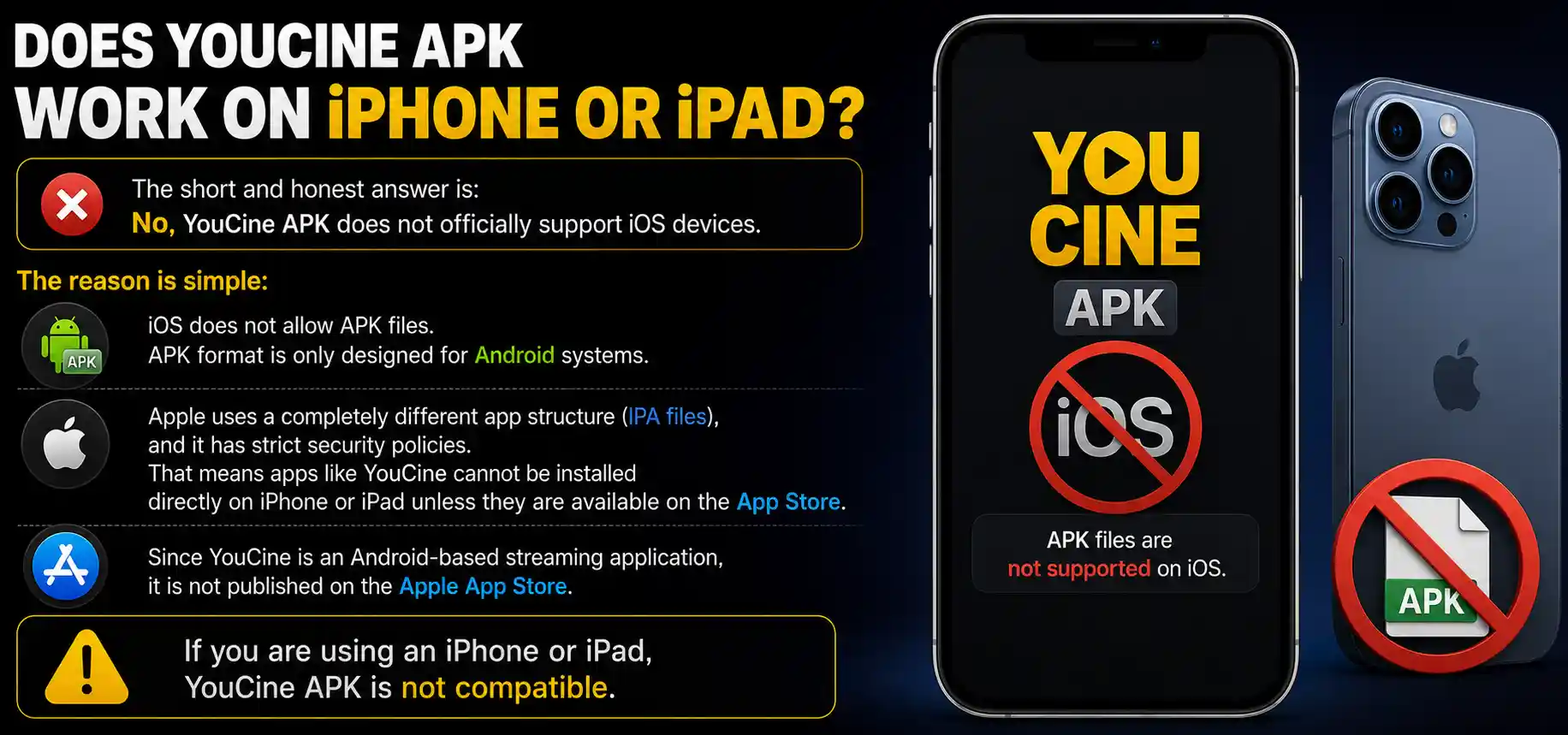
The short and honest answer is: No, YouCine APK does not officially support iOS devices.
The reason is simple:
iOS does not allow APK files. APK format is only designed for Android systems.
Apple uses a completely different app structure (IPA files), and it has strict security policies. That means apps like YouCine cannot be installed directly on iPhone or iPad unless they are available on the App Store.
Since YouCine is an Android-based streaming application, it is not published on the Apple App Store.
Why YouCine is Not Available on iOS Devices?
There are several technical and policy-based reasons behind this:
Apple Security Restrictions
Apple only allows verified apps from the App Store. Third-party APK installation is not supported.
Different App Architecture
Android apps use APK format, while iOS apps use IPA format. They are not compatible.
App Store Policies
Streaming apps that provide external content sources often face restrictions on Apple’s platform.
Device Ecosystem Control
Apple keeps strict control over app distribution to maintain security and performance standards.
Can YouCine Be Installed on iPhone Using Tricks?
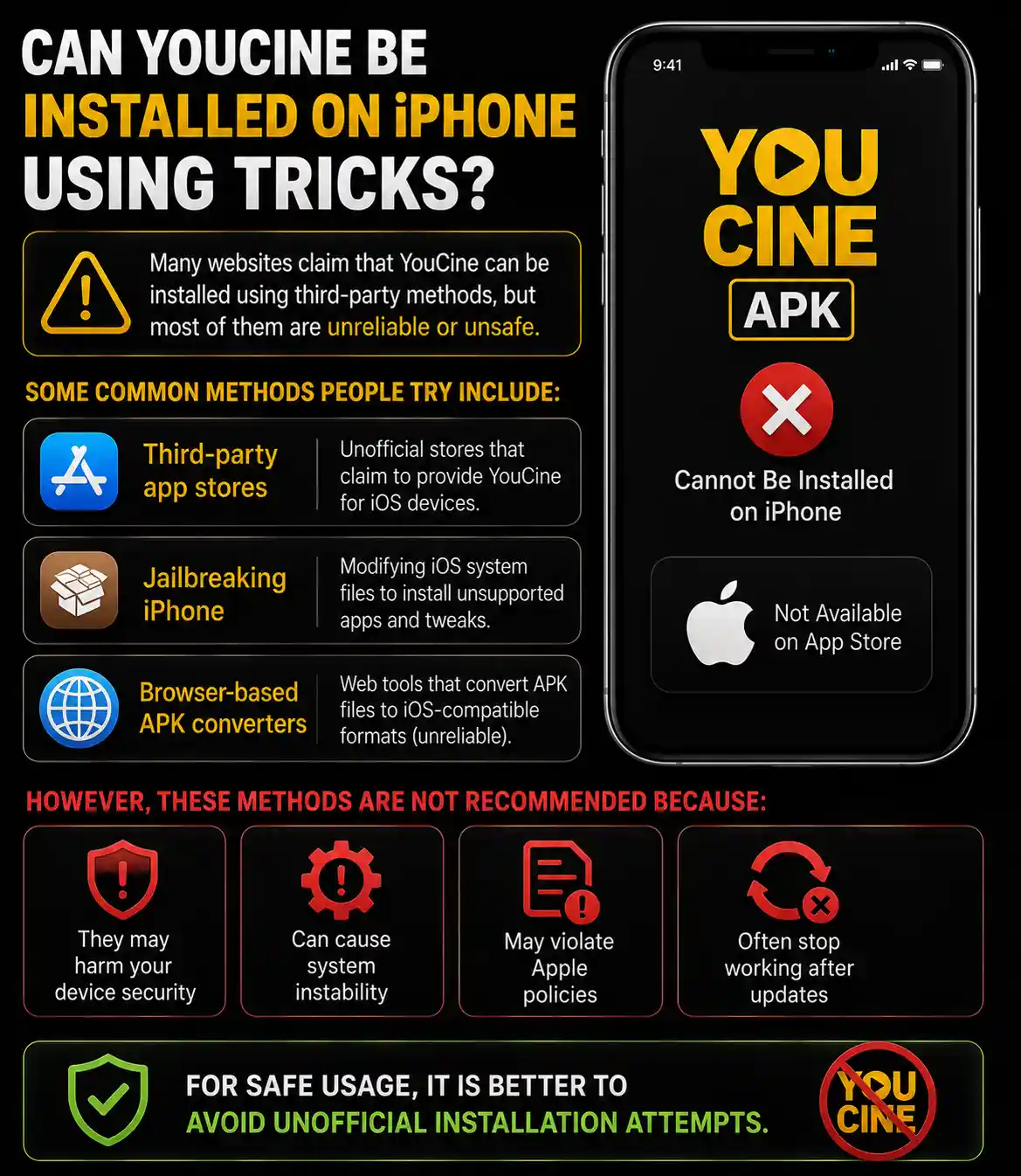
Many websites claim that YouCine can be installed using third-party methods, but most of them are unreliable or unsafe.
Some common methods people try include:
However, these methods are not recommended because:
For safe usage, it is better to avoid unofficial installation attempts.
Best Way to Use YouCine on iOS Devices
Even though YouCine is not directly available for iPhone or iPad, users still have some practical alternatives.
Option 1: Use Android Device or Emulator
If you want the full YouCine experience:
- Use an Android phone
- Use Android TV
- Or install emulator on PC
This is the most stable and reliable method.
Option 2: Screen Mirroring
You can install YouCine on an Android device and mirror it to your iPhone or Apple TV screen.
Steps:
- Install YouCine on Android device
- Enable screen mirroring
- Connect both devices on same network
- Stream content on larger screen
Option 3: Use Web-Based Alternatives
Some streaming platforms work through browsers and can be accessed on iPhone Safari or Chrome.
Although YouCine itself is not web-based, similar streaming experience can be achieved through legal web apps.:
Best YouCine Alternatives for iOS Users
If you are specifically using iPhone or iPad, here are some better options that provide smooth streaming experienc

Netflix
A premium streaming platform with movies, TV shows, and original content.
Apple TV+
Official Apple streaming service optimized for iOS devices.

Tubi TV
Free streaming platform with ads-supported content.

Disney+
Best for Disney, Marvel, Pixar, and Star Wars content.

Amazon Prime Video
Offers a large library of global entertainment content.
These apps are fully compatible with iOS and available on the App Store. If You have a Computer or Laptop you can also download Youcine for PC.
Common Problems iOS Users Face
YouCine Not Found on App Store
This is expected because the app is not published for Apple devices.
Solution:
Search for iOS-compatible streaming apps instead.
Fake YouCine iOS Download Links
Many websites show fake download buttons.
Risk:
Malware
Data theft
Device security issues
Solution:
Avoid downloading unknown IPA files.
App Installation Errors
Users trying third-party installation methods often face errors.
Solution:
Stick to official App Store apps only.
Streaming Expectations Issue
Users expect same Android experience on iOS.
Solution:
Use alternative legal apps for stable performance.
Is It Safe to Try Installing YouCine on iOS?
From a technical and security point of view, it is not recommended.
Reasons:
- iOS security system blocks unauthorized apps
- Jailbreaking can damage system integrity
- Third-party installers may contain malware
For safe usage, iOS users should rely on official App Store applications only.
Features iOS Users Expect from YouCine
Even though YouCine is not available, users usually search for these features:
- Free movie streaming
- Live TV channels
- HD quality playback
- Subtitle support
- Fast loading speed
- No subscription requirement
These Youcine APK Features exist in some iOS-compatible apps, but not in YouCine itself.
Recommended Streaming Experience on iPhone
If your goal is smooth entertainment on iOS, follow this approach:
- Use official apps from App Store
- Maintain stable WiFi connection
- Keep apps updated
- Use legal streaming platforms
This ensures:
- Better performance
- Device safety
- No installation risks
FAQs
Conclusion
YouCine APK is a popular streaming application, but it is designed specifically for Android-based systems. Due to Apple’s strict security and app policies, it is not available for iPhone or iPad users.
However, iOS users still have multiple high-quality alternatives available on the App Store that provide a smooth and secure streaming experience.
If your main goal is entertainment without technical risk, using official iOS streaming apps is the best and safest choice.