Is YouCine Safe? What to Check Before You Install (2026)
The honest answer is not a simple yes or no — it depends on where you got the app and what you let it do. Here is what actually matters.
Quick Answer
The genuine YouCine app, downloaded from the official download page (youccine.com/download) and checked by Play Protect, is the version millions of people use without issues. The real dangers are elsewhere: fake download sites, “mod” or “premium unlocked” copies, outdated files, and — for iPhone users — sites that ask you to install profiles. Safety with YouCine is mostly about source and habits, and this page gives you both.
🇧🇷 Prefere português? Este guia também está disponível em português: O YouCine É Seguro?
Search “is YouCine safe” and you will find pages that promise it is 100% safe and pages that call it dangerous. Neither is the full story. YouCine is an Android app distributed as an APK outside the Google Play Store, so it does not go through Google’s store review — that means the checking is partly up to you. This guide shows you exactly what to check: what the app asks for, where the genuine risks are, and how to verify your copy before you install it.
The Short Answer, Honestly
No sideloaded app can be guaranteed 100% safe — anyone who promises that is selling something. What can be said fairly: the genuine app asks only for the permissions a video player needs, it is not known for the behaviours that define malware (stealing contacts, sending premium SMS, spying through accessibility), and problems reported by users almost always trace back to modified copies from unofficial sites rather than the original file. Your job is to make sure the file on your device is the original — the rest of this page is that job, step by step.
What Permissions YouCine Asks For — and Why
When you install and first open YouCine, expect these requests — all normal for a streaming player:
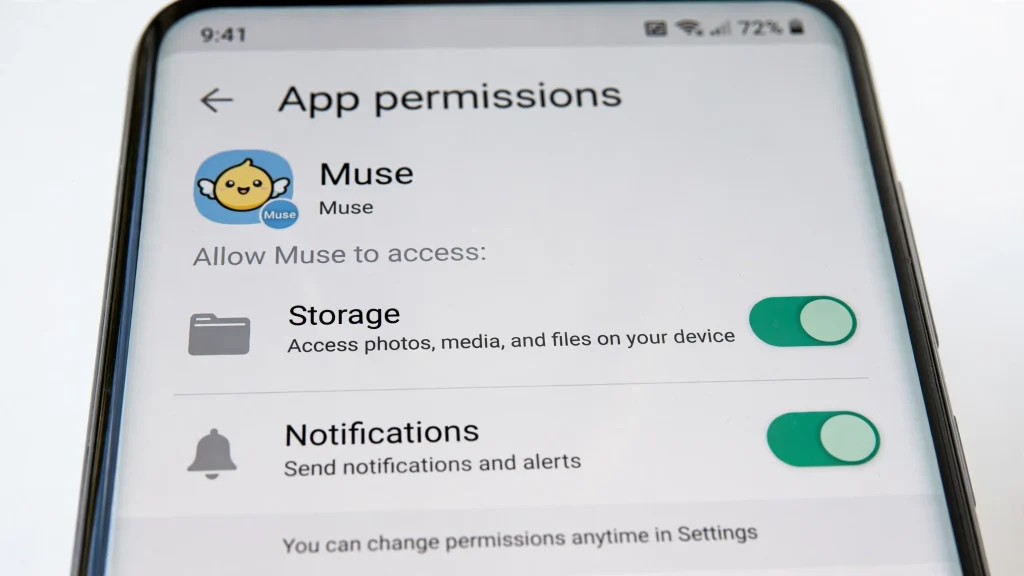
- Storage / media access: to play downloaded files and store the playback cache.
- Network access: to stream video (every player needs this).
- Notifications (optional): for app messages; you can deny this and lose nothing important.
What the genuine app does NOT need — treat these as red flags in any copy that asks: contacts, SMS or call logs, your precise location, camera/microphone while you are not using them, and Android Accessibility services. If a “YouCine” file asks for those, delete it: it is not the genuine app.
The Real Risks (Ranked by How Often They Hurt People)
1. Fake Download Sites and Modified Copies
The biggest risk by far. Search results and video descriptions are full of sites offering “YouCine” files bundled with adware or worse. A modified APK can look and open exactly like the real app while doing extra things in the background. This is why the source matters more than anything else in this guide.
2. “Mod” and “Premium Unlocked” Versions
Mods promise free premium, no ads or unlocked VIP. They are, by definition, the app rebuilt by a stranger — the single easiest way to hide malware — and they can also get your account banned. People search for these constantly; the honest advice is simple: never install them.
3. iOS Profile and Certificate Scams
There is no YouCine for iPhone, so every “iOS download” is bait. The dangerous ones ask you to install a configuration profile or certificate — that can hand control of parts of your phone to a stranger. Our iOS guide explains the warning signs and how to remove a profile if you installed one.
4. Outdated Copies
Old versions carry old bugs and stop working when servers change, and some fake sites keep serving ancient files because they rank well. Current version: v1.17.6 (43 MB). If your file claims to be something else or is a very different size, be suspicious.
5. Fake Subscription and Payment Pages
Pages that imitate YouCine and push you to enter card details for “activation” or “VIP renewal” are a known trap. Manage subscriptions only the way our renewal guide describes, and never pay on a page you reached from a random download button.
How to Verify Your Copy Is Genuine
- Source: the file came from youccine.com/download — not a file-host, forum or video description.
- Version and size: v1.17.6, about 43 MB (check after download, before installing).
- Play Protect: leave Google Play Protect ON; when it scans the install, that is a good sign, not a problem. If it warns, read the warning — a generic “unknown app” notice for sideloaded apps is different from a harmful-app detection, which you should always obey.
- Permissions after install: review Settings → Apps → YouCine → Permissions and confirm only the player permissions from the list above are granted.
- No Downloader code: there is no official numeric Downloader code for YouCine; codes shared online are unofficial, so type the download page address instead.
The 6-Point Safety Checklist
Run through this once and you have done more than most users ever do:
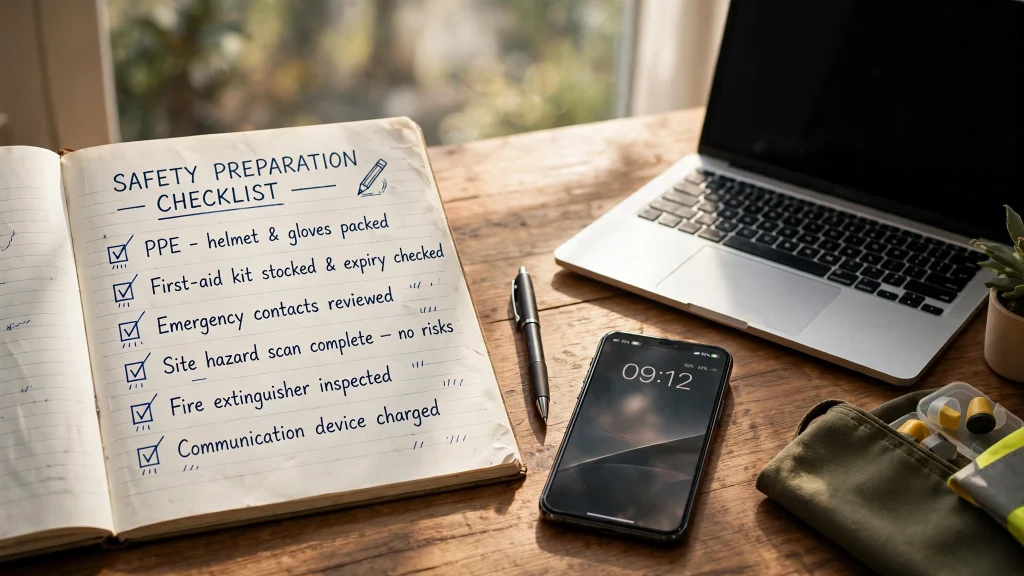
- Download only from the official download page.
- Check the version (v1.17.6) and size (~43 MB).
- Keep Play Protect and your device security updates on.
- Review permissions after installing; revoke anything unrelated to playback.
- Never use mod/premium-unlocked copies, and never install profiles or certificates for streaming sites.
- Keep the app updated by installing new versions over the old one from the same official page — the update habit fixes both bugs and security issues (our Not Working guide shows the update steps inside Fix 4).
Is YouCine Safe for Kids?
YouCine is a general-audience streaming app, not a kids’ app, and it does not replace parental judgement. If children use the device: rely on the device-level controls (Google Family Link on Android, Screen Time on the Apple devices in the house), keep the shared devices in shared spaces, and use the kids’ profiles of the official services for the youngest viewers. The safety checklist above applies to the family Firestick and TV box exactly as it does to a phone.
A Quick Word on Legality
Whether streaming a particular title is lawful depends on the content’s rights and on your country’s rules, and that is separate from whether the app file itself is safe to install. This site explains installation and safety; it does not provide legal advice. When in doubt, official services are the risk-free route for both safety and legality.
Frequently Asked Questions
The genuine file from the official download page, scanned by Play Protect, is what users run without the behaviours associated with malware. Virus problems almost always come from modified copies on unofficial sites — which is why this guide focuses on verifying your source.
The genuine app asks for playback permissions (storage/media and network). It does not need your contacts, messages, location or accessibility access — if a copy asks for those, it is not genuine; delete it.
No. A mod is the app rebuilt by an unknown person, which is exactly how malware is distributed, and it can also cost you your account. The risks are not worth the “premium unlocked” promise.
Play Protect warns about many apps installed from outside the Play Store. A generic unknown-source notice is normal for sideloading; a specific harmful-app warning is not — if Play Protect says the app is harmful, do not install it.
The same rules apply: install it the way our Firestick guide describes, from the official download page via Downloader, keep the stick updated, and avoid mod copies. The small storage on a stick is a performance issue, not a safety one.
A VPN is a privacy choice for your connection, not a fix for an unsafe app file. It cannot make a modified copy safe — only the source and permissions can do that. If you use one, install the VPN itself from its official store listing.
Final Thoughts
“Is YouCine safe?” has a practical answer: the genuine app from the official download page, with player-only permissions and Play Protect on, is the setup this whole site documents — and the checklist above takes two minutes. Spend your caution where it counts: on fake sites, mod copies and profile scams, not on the app itself. Setting up a new device? The Mobile guide walks through a clean, verified install step by step.