YouCine Black Screen? Why It Happens and How to Fix It on Every Device (2026)
Sound but no picture, or a black screen the moment the app opens — two different problems wearing the same costume. Here is how to tell them apart and fix both.
Quick Answer
If YouCine opens to a black screen, clear the app’s cache and data, restart the device, and update the app — that trio fixes most cases. If videos play with sound but a black picture, the cause is display-side: on a phone, disable battery restrictions for YouCine; on TV devices, reseat/replace the HDMI cable and match the resolution; on PC, switch the emulator’s graphics renderer (OpenGL ↔ DirectX). Device-by-device steps are below.
A black screen is the most misdiagnosed problem in streaming: people reinstall the app for what turns out to be an HDMI handshake, or buy a new cable for what turns out to be a corrupted cache. The trick is the first question — WHEN does it go black? This page splits the problem in two, then walks each device.
First, Which Black Screen Is Yours?
- Type A — Black on opening: the app launches to black (or the logo, then black). This is app/device software: cache, data, permissions, restrictions.
- Type B — Black during playback, sound continues: the video plays but the picture is black. This is display-path: renderer, HDMI/HDCP, resolution, or the specific title’s source.
- Type C — Black only on ONE title: the source file for that title is broken — try another episode/title/server; nothing on your device is wrong.
The Universal Fixes (Try These First, Any Device)
- Force-close YouCine and reopen it.
- Restart the device properly (unplug TVs/boxes/sticks for 30 seconds).
- Clear YouCine’s cache; if Type A persists, Clear data too (Settings → Apps → YouCine → Storage) — you will sign in again.
- Update to the current version (v1.17.6) from youccine.com/download, installed over the old app.
- Test a different title to rule out Type C. This sequence is also Fix 3 + Fix 9 of our Not Working guide — the page to continue with if the app has other symptoms too.
Black Screen on Phone or Tablet (Android)
- Remove battery restrictions: Settings → Apps → YouCine → Battery → Unrestricted (battery savers are the top phone cause of Type A/B).
- Revoke overlay conflicts: chat-heads/screen-filter/blue-light apps drawing over the player can black out video — pause them and test.
- Clear cache/data (above).
- Check the storage/media permission is still granted.
- Lower playback quality one step in the player and test — a struggling decoder shows black under load.
Black Screen on Firestick, Android TV and TV Box
On TV devices, suspect the display path first — especially for Type B:
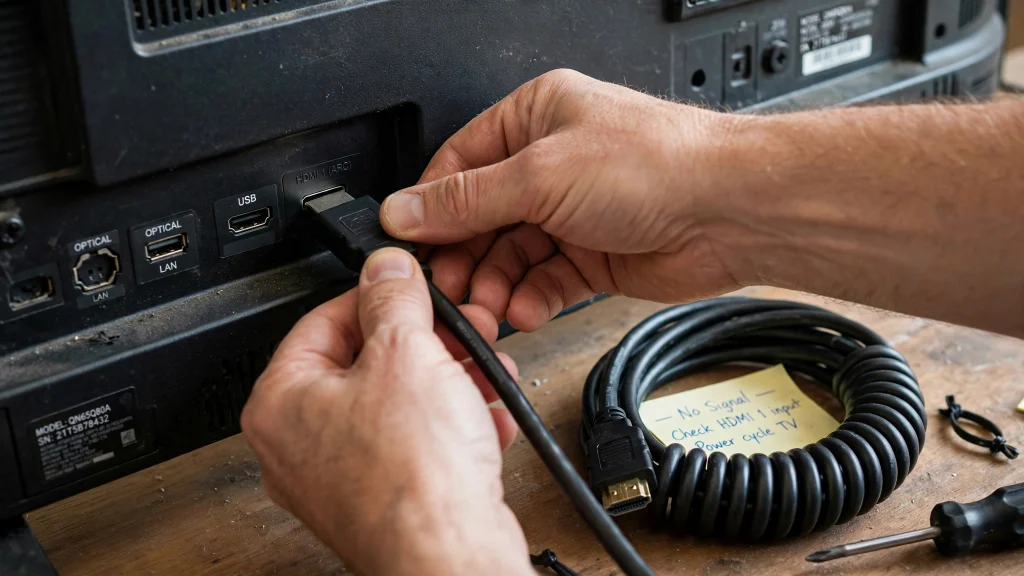
- Reseat the HDMI cable at both ends; try a different HDMI port on the TV.
- Replace the cable if it is old or very cheap — HDCP handshake failures look exactly like this.
- Match resolution: set the stick/box display output to the TV’s native resolution (or to Auto) instead of forcing 4K on a 1080p panel.
- Unplug BOTH the TV and the device for 60 seconds so the handshake fully resets.
- Then do the app side: clear YouCine’s cache/data and update it.
- On generic TV boxes, also test with a different launcher/home app — some bundled launchers mishandle video overlays.
Black Screen on PC (Emulator)
- Switch the graphics renderer in the emulator settings (OpenGL ↔ DirectX / Vulkan) and restart the emulator — this is the classic PC fix.
- Update the emulator and your PC’s graphics drivers.
- Clear YouCine’s cache/data inside the emulator.
- Allocate more RAM/CPU to the emulator (4 cores / 4 GB) — a starved emulator drops the video layer first. Our PC guide covers these settings in its problem section.
When Nothing Works: Rule Out the Stream Itself
If one specific title is black on every device you own, the source is broken — switch server/source inside the title if offered, or pick another title. If EVERYTHING is black on every device and network at the same time, you are looking at a service-side problem: wait and retry later instead of reinstalling (the server test is explained in Fix 7 of the Not Working guide). And if the picture stutters rather than going fully black, that is lag, not this problem — the lag fixes are your page.
Tela Preta no YouCine? (Português)
Se o YouCine abre com tela preta: limpe o cache e os dados do app (Configurações → Aplicativos → YouCine → Armazenamento), reinicie o aparelho e atualize para a versão atual (v1.17.6). Se o vídeo toca com som mas sem imagem: no celular, desative a economia de bateria para o YouCine; na TV ou TV Box, verifique o cabo HDMI (troque de porta ou de cabo) e ajuste a resolução; no PC, troque o renderizador gráfico do emulador (OpenGL/DirectX). Se só um título fica preto, o problema é da fonte daquele título — teste outro.
Frequently Asked Questions
That is the display-path type: the audio decodes but the video layer fails. On phones, remove battery restrictions and overlay apps; on TV devices, work through the HDMI/resolution steps; on PC, switch the emulator renderer.
Usually corrupted cache/data or a system restriction. Clear cache, then data, restart the device, and update the app — in that order.
Provavelmente a fonte daquele título está com problema. Teste outro filme ou episódio; se os outros funcionam, seu aparelho está normal.
It fixes the app-side causes (after cache/data clearing, reinstalling is the next step). It does not fix HDMI, resolution or renderer causes — which is why this page asks “when does it go black?” first.
Then it is the TV/display chain, not the app: cable, port, or the TV itself. Test another HDMI source to confirm.
Yes on weak devices: forcing 4K/HD on hardware that cannot decode it can produce sound with a black picture. Lower the quality in the player and test.
Final Thoughts
Black screens reward diagnosis, not luck: name your type (on opening, during playback, or one title only), and the fix is usually a two-minute job — cache and battery settings on phones, HDMI and resolution on TVs, the renderer switch on PC. Start with the universal five steps above, and only reach for the reinstall when the app-side causes are actually yours.