YouCine Login Problems? Can’t Sign In — Causes and Fixes (2026)
The password is right — you are sure of it — and YouCine still will not let you in. Login failures have quiet causes: keyboards, clocks, expired subscriptions. Here is how to find yours.
Quick Answer
Most YouCine login problems are not account problems at all. Re-type your password slowly with the on-screen keyboard (autofill adds spaces, TV keyboards swap characters), check the device date/time is automatic, and confirm your subscription has not expired — an expired plan often looks like a login error. If login works on your phone but not the TV (or the reverse), the account is fine and the device is the problem: clear the app’s data on that device and sign in fresh.
“Wrong password”, spinning loaders, bouncing back to the login screen — login trouble wears several masks, and each mask is a different fault. This page works through the real causes in the order they actually happen, including the honest answer about forgotten passwords, and the scam you must avoid while searching for help.
Fix 1: Re-Type the Password Like a Human, Not Autofill
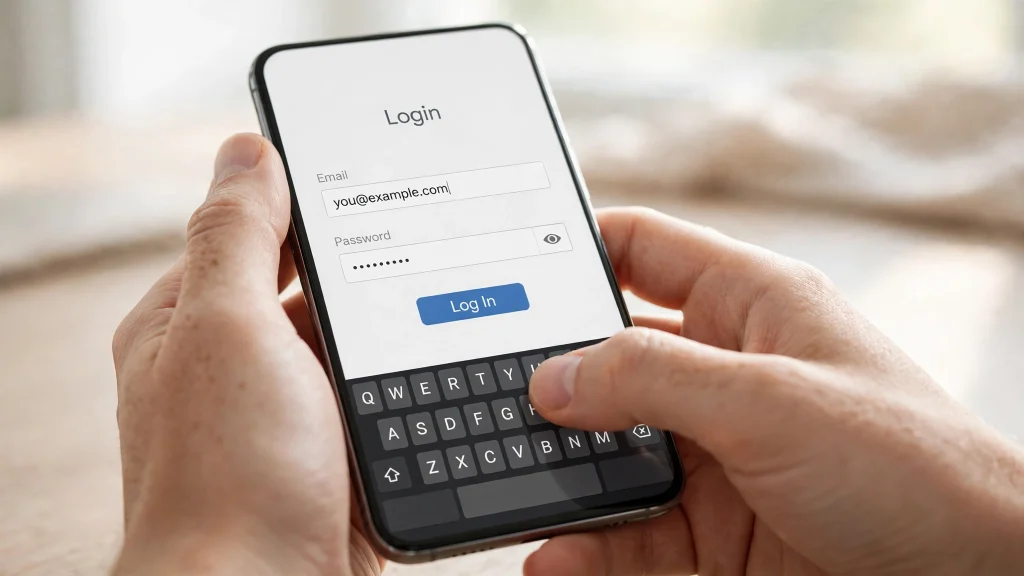
The number-one cause. Autofill and predictive keyboards add trailing spaces, capitalise the first letter, or swap characters (especially on TV on-screen keyboards and Portuguese/Spanish keyboard layouts). Fix: delete the password field completely, type it character by character with the password visible if the app offers a show-password eye, and make sure Caps Lock / keyboard language is the one you used when creating the account. Do the same for the email/username — one wrong character there gives the same “wrong password” mask.
Fix 2: Check the Device Clock (TV Boxes and Firesticks Especially)
Login systems verify the time. A TV box or stick whose clock drifted (or was set manually wrong) fails sign-in with confusing errors or an endless loop. Fix: Settings → Date & Time → set Automatic date & time ON, restart the device, then try again. This one surprises people — and fixes a stubborn share of TV login failures.
Fix 3: An Expired Subscription Can Look Like a Login Failure
If the app accepts your details but drops you back, loops, or shows account errors right after signing in, check whether your plan simply ended. The renewal problems and how renewal actually works are covered in our subscription renewal guide — confirm the plan is active before fighting the login screen further.
Fix 4: Test the Same Account on a Second Device
This test splits the problem in half. Sign in on your phone (or another device) with the same details: • Works there → your account is fine; the fault is the first device (go to Fix 5). • Fails everywhere, on two networks → it is the account or the service (go to Fix 6 and Fix 7). Two minutes of testing saves an hour of random reinstalling.
Fix 5: Clear the App’s Data on the Problem Device
A corrupted local session can loop forever. Fix on that device: Settings → Apps → YouCine → Storage → Clear cache, then Clear data; reopen the app and sign in fresh. Still looping? Update the app to the current version (v1.17.6) from the official download page, or reinstall it cleanly (uninstall → restart → install) as the last step.
Fix 6: Rule Out the Service and Your Network
If sign-in fails on every device at the same time, suspect the server side (wait and retry later — the test is in Fix 7 of our Not Working guide) or your network: switch phone data ↔ Wi-Fi once, and if you use a VPN, turn it OFF and retry — VPN endpoints frequently trigger login rejections on account systems.
Fix 7: Too Many Attempts? Stop and Wait
Repeated rapid attempts can trigger a temporary lock. If you have tried many times in a few minutes: stop, wait 30–60 minutes, then make ONE careful attempt using Fix 1. Hammering the button extends the lock and turns a small problem into an evening of it.
Forgot Your Password? The Honest Answer
YouCine accounts are not managed through this website, and there is no official public “reset password” page we can link you to — any site claiming to reset your YouCine password for you, or asking for your details/payment to “recover” your account, is a scam pattern (see our safety guide). What you CAN do: 1. Search your email inbox (and spam) for your original account messages — they confirm which email address the account actually uses; many “forgotten passwords” are really the wrong email. 2. Try the sign-up email variants you genuinely use (work vs personal). 3. Use any in-app recovery option the login screen itself offers — only inside the official app, never via a search-result website. 4. If the account is truly lost, a fresh account means a fresh subscription — which is why step 1 matters before giving up.
Warning: The “Account Recovery” Scam
Because login problems are frustrating, scammers target them: fake support pages and videos offering to “unlock” or “recover” YouCine accounts for a fee, or asking you to install a “fix tool”. YouCine help never works this way. Only trust: the app itself, the official download page, and guides like this one that ask for nothing.
Problemas Para Entrar no YouCine? (Português)
Digite a senha de novo, devagar, pelo teclado da tela (o preenchimento automático adiciona espaços e troca caracteres). Confira se a data e a hora do aparelho estão no automático — relógio errado impede o login, principalmente em TV Box. Se entrar no celular mas não na TV, o problema é o aparelho: limpe os dados do app na TV e entre de novo. E verifique se sua assinatura não venceu — plano vencido muitas vezes parece erro de login. Cuidado: nenhum site pode “recuperar” sua conta; isso é golpe.
Frequently Asked Questions
Usually it is not the password — it is how it was typed: autofill spaces, capitalised first letter, or a different keyboard language. Re-type it slowly with the on-screen keyboard and visible-password option, and check the email field too.
There is no official public reset page. Check your email for the original account messages to confirm the exact address, and use only recovery options shown inside the official app itself. Never pay a third-party site to “recover” your account.
Your account is fine — the TV device is at fault: wrong clock (set date/time to automatic), a corrupted session (clear app data), or an outdated app version. Fix those on the TV only.
It can look exactly like one: sign-in succeeds then you are bounced back, or you get account errors. Confirm your plan is active using our subscription renewal guide.
Clear the app’s cache and data on that device, check the device clock is automatic, update the app, and sign in once, carefully. If the loop happens on every device, wait — it is likely service-side.
Não. Não existe recuperação de conta paga nem suporte por sites de terceiros. Use apenas o aplicativo oficial e as opções dentro dele.
Final Thoughts
Login screens lie politely: they say “wrong password” for keyboard slips, clock drift, dead subscriptions and server naps alike. Work the order in this page — careful typing, correct clock, active plan, second-device test, clean data — and you will find which lie you were told, and fix it in minutes instead of reinstalling everything.