YouCine VIP Paid but Not Working? Why Plans Don’t Activate, Show “Expired” on TV, and What Refunds Really Look Like
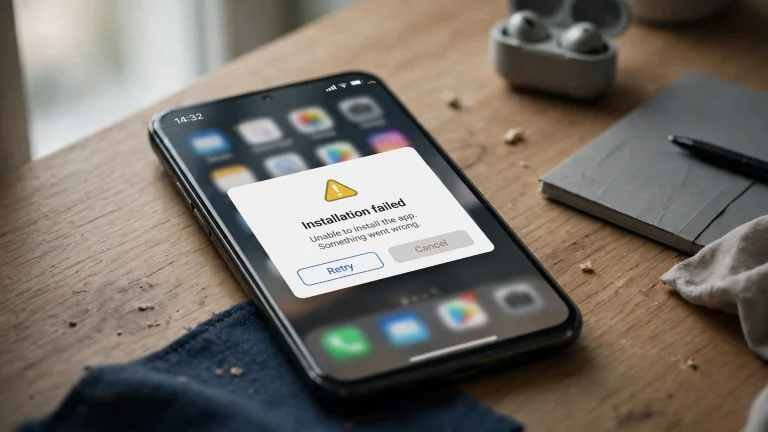
The Pix went through. The money is gone. And YouCine still says you have no plan — or it works on your phone while the TV insists your subscription “expired”. This is the most common YouCine complaint in Brazil, and it usually has one of four causes. Here they are, in the order they actually happen.
Quick Answer
Quick Answer: When a paid YouCine plan does not activate, the cause is usually one of four things: (1) you are signed in with a different account than the one you paid for; (2) the plan you bought is a mobile-only tier — resellers commonly describe tiers where one covers phones only and TV access needs the combo-type plan; (3) the seller never matched your Pix payment to your account (your payment receipt — the comprovante — is the only proof that exists); or (4) a simple activation delay. And the honest refund answer: because subscriptions are sold by independent resellers, not one official store, there is no automatic refund system — your realistic routes are the seller first, then a dispute through your own bank.
Read the complaints on Reclame Aqui — Brazil’s main consumer-complaint platform — and the same story repeats hundreds of times: “Renovei meu plano mas não foi atualizado” (I renewed but it never updated). Different people, same four mechanical causes underneath. Our subscription renewal guide covers renewal failing before payment; this page starts where that one ends — the money has already left your account.
Cause 1: You Paid on One Account and Signed In on Another
The most common and most fixable. Over months, many users end up with two YouCine accounts — an old email and a new one, or an account created on the phone and another on the TV. The payment activates the account the SELLER attached it to; the TV may be signed into the other one. Fix: sign out everywhere, then sign in on each device with the exact email used at purchase (check your email inbox for the account messages). Activation problems that survive cache clears and reinstalls very often end here — see also our login problems guide.
Cause 2: “Works on My Phone, Expired on My TV” — The Plan-Tier Trap
The single most repeated symptom in the complaints. Support replies in those threads describe the same explanation: resellers sell more than one tier, commonly described as a mobile plan (phone catalogue only) and a combo-type plan that includes TV. A viewer who buys the mobile tier, then opens the app on a TV box, sees exactly this: active on the phone, “expired” on the TV. No setting fixes it, because nothing is broken — the plan simply does not include the TV. The fix is with the seller: ask, in writing, which tier you bought and what an upgrade costs. Before any future purchase, make the seller confirm in the chat that the plan includes TV — that one message is your evidence later.
Cause 3: The Pix Payment Was Never Matched to You
Many complaint threads involve Pix payments the seller claims not to recognise — including users who, told the first payment “didn’t arrive”, paid twice. How this purchase model works in practice: an independent reseller receives your Pix, then manually activates your account. If the name, amount or account detail they expected does not match, the activation silently never happens. Your defences: 1. Never delete the comprovante (Pix receipt) — screenshot it with the date, amount and recipient. 2. Send the receipt to the seller and ask them to confirm activation against it. 3. Never pay a second time because the first “didn’t go through” — verify with your bank app first; the receipt shows whether the money moved.
Cause 4: Activation Delay — and How Long Is Too Long
Because activation is manual, some delay is normal: minutes to a few hours while a seller processes a queue. The complaint pattern turns serious when days pass with only “wait” replies. Practical rule: if 24 hours pass after the seller confirmed receiving your payment and the plan is still not active on the correct account and device type, treat it as non-delivery, not delay — and move to the refund routes below with your receipt and chat screenshots in hand.
Refunds: What Really Happens (The Honest Version)
There is no official YouCine store, so there is no store refund button — anyone promising you an easy official refund is inventing it. The realistic ladder: 1. The seller: some resellers do fix or refund to protect their reputation in their groups; ask once, in writing, with the receipt. 2. Your bank: for Pix, ask your bank about a dispute/devolução request — outcomes vary and are not guaranteed, but the receipt and the seller’s non-delivery messages are exactly the evidence banks ask for. 3. Reclame Aqui/Procon: complaints are widely filed, but enforcement against an unregistered, informal seller is weak — file for the record and the pressure, not with high expectations. This is also why the standing advice on our safety guide is: shortest plan first, never annual, screenshot everything.
Before You Buy Again: The 5-Point Checklist
1. The seller confirms in writing: plan includes TV (if you watch on TV). 2. The account email for activation is the one you actually sign in with. 3. Start with the shortest plan offered. 4. Pay only through the channel the seller’s own page/group specifies — never a “support agent” who contacted you first. 5. Screenshot the offer, the chat and the Pix receipt, and keep them until the plan expires. Comparing the alternatives honestly — including how rival apps sell access — is in our YouCine vs UniTV comparison.
Paguei o YouCine e Não Liberou? (Português)
As causas mais comuns, na ordem em que aparecem nas reclamações: 1) você entrou com outra conta — o pagamento ativa a conta que o vendedor registrou; 2) o plano comprado é só para celular — vendedores descrevem planos “mobile” e planos que incluem TV; no plano mobile, o app funciona no celular e mostra “vencido” na TV; 3) o Pix não foi identificado pelo vendedor — guarde o comprovante, ele é sua única prova, e nunca pague duas vezes sem conferir no app do banco; 4) atraso manual de ativação — depois de 24h com pagamento confirmado, trate como não entrega. Reembolso: não existe loja oficial nem botão de reembolso; o caminho é o vendedor e, se não resolver, a disputa pelo seu banco com os comprovantes.
Frequently Asked Questions
Check you are signed in with the exact account email used at purchase, on the device type your plan covers. Then send the seller your Pix receipt and ask them to confirm activation against it.
Usually the plan tier: resellers commonly sell a mobile-only tier and a TV-inclusive tier. Support replies in Brazilian complaints give this same explanation. Only the seller can upgrade or swap the tier.
There is no official refund system — subscriptions are sold by independent resellers. Ask the seller first (in writing, with your receipt), then ask your bank about disputing the Pix payment. Outcomes vary; nothing is guaranteed.
Activation is manual, so minutes to a few hours is normal. Beyond 24 hours after the seller confirmed your payment, treat it as non-delivery.
Check both receipts in your bank app, send both to the seller, and ask for the duplicate back. Keep every screenshot — this exact case fills complaint threads.
Envie o comprovante com data, valor e destinatário e peça a ativação. Se ele se recusar, abra uma disputa pelo aplicativo do seu banco com os prints da conversa.
Final Thoughts
“Paid but nothing happened” feels like a scam every time — and sometimes it is one. But the complaint record shows most cases are mechanical: wrong account, wrong tier, unmatched Pix. Work the four causes in order, keep your receipts like they are money (they are), and buy the next plan — from anyone — like someone who has read the complaints.