Too Many YouCines: How to Check Which YouCine App You Have (Mobile vs TV Build, Fakes and Version Chaos)
Search “YouCine” today and the listings disagree with each other about everything: version 1.17.6 here, 1.17.9 there, one wild claim of 1.28.4; file sizes from about 22 MB to 45 MB. They cannot all be the same app — and they are not. At least four different things share this name. This page gives you a 3-minute checklist to find out which one is on YOUR device, and what to do if it is the wrong one.
Quick Answer
Quick Answer: Check three things on your own device: (1) Version — Settings → Apps → YouCine shows it; this site’s guides cover v1.17.6, and any listing claiming dramatically different “latest” versions is describing a different copy (or inventing one). (2) Size — the APK covered here is about 43 MB; a ~22 MB “YouCine” is not the same app. (3) Which build — third-party listings report a mobile build and a separate TV build under different package names, plus a completely unrelated Portuguese app that merely shares the name. There is no official website that can stamp any copy “official” — verification is a checklist, not a badge, and it is below.
The name collision is not trivia — it is mechanical. Android updates an app only when the package name AND the signing certificate match the installed copy. Install one “YouCine” today and a different copy tomorrow, and Android refuses with “App not installed” even though both files are perfect. Half the install-error mail in this niche is really identity error. Meanwhile in Brazil, the confusion includes a namesake app in Portuguese by a different developer entirely — users download it, find none of the expected catalogue, and conclude “YouCine changed”. It did not; they have a different app wearing the name.
The 3-Minute Verification Checklist
- Version: Settings → Apps → YouCine → version number at the bottom.
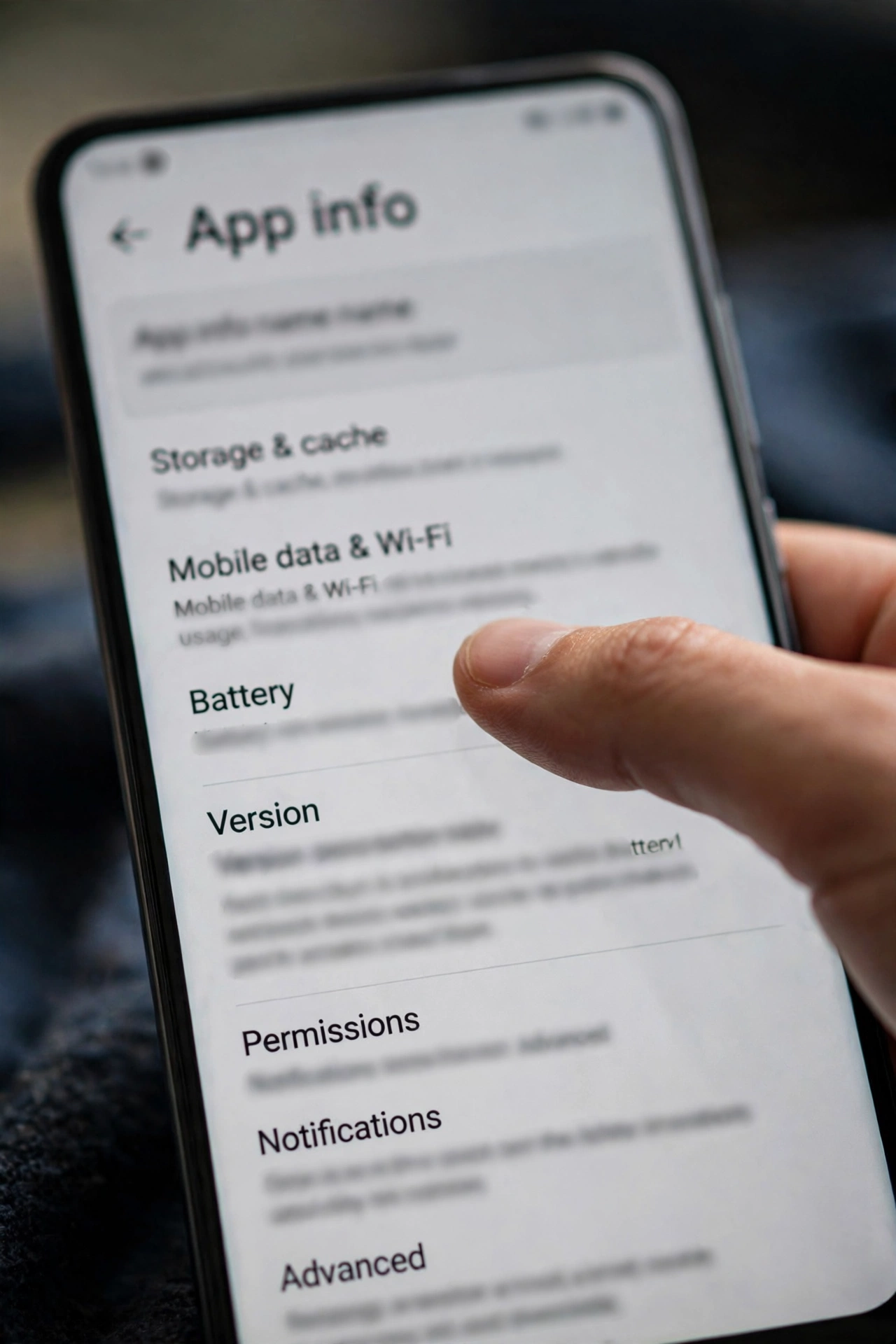
- Size sanity: the app info screen also shows storage size; together with the APK’s expected ~43 MB, a drastically smaller install is a red flag for a different or stripped copy.
- Interface check: the main YouCine app covered by this site’s guides is the streaming catalogue app; an all-Portuguese app with a different developer name shown in its store/listing details is, as reported by listings, an unrelated namesake (in Brazil, one by a developer listed as LuterDev) — not a “Brazilian edition”.
- Before installing ANY new copy from any site: upload the APK to VirusTotal — its Details tab shows the package name and signer, letting you compare the new file against the installed app’s identity, and its scan flags known-bad files. Verification can prove a copy matches what you already trust; nothing can prove a copy is “official”, because no official publisher page exists to compare against — anyone claiming otherwise is overselling.
The Cast of Characters (As Reported by Listings)
Third-party listings currently describe, under this one name:
- A main mobile build (one widely reported package name is com.world.youcine — reported, not officially published).
- A separate TV build (reported package com.world.youcinetv), presented for TV boxes and sticks — which is why “the app looks different on my TV” happens.
- The unrelated Portuguese namesake app mentioned above.
- Modified re-signs: copies repackaged by third parties (ad-injected or worse), which share the name and icon style but a different signature — these are the ones behind both malware stories and update failures.
Treat this list as a field guide to a messy reality, not as a catalogue of official products.
Why Your Update “Failed”: The Signature Story
Android’s rule is strict: same package + same signer = update allowed; either differs = install refused, usually as “App not installed”. So switching download sources between updates — a very normal thing to do in this niche — manufactures the error even with two genuine files. The correct procedure when deliberately switching copies: uninstall the old build first, restart, then install the new one (you will sign in fresh; favourites stored on-device are lost). The full error-by-error treatment is our App Not Installed guide, and the update-in-place method that avoids all this is our update guide.
What To Do If Yours Is the Wrong One
- It is the Portuguese namesake: uninstall it; it will never become the streaming app, and keeping it only confuses the next install.
- It is a modified/unknown copy: uninstall, then install a checked copy from a source you trust, verifying version and size against the checklist above — the wider safety rules are in our Is YouCine Safe? guide.
- It is an old genuine build: update in place; if you are considering deliberately keeping an old version, read the honest risks first in our Old Versions guide.
- Two “YouCines” installed side by side: possible only when package names differ — decide which one you actually use and remove the other, or every future update becomes a coin toss.
Qual YouCine Você Instalou? (Português)
Existem vários aplicativos com o mesmo nome: as listagens mostram versões 1.17.6, 1.17.9 e até números inventados, com tamanhos de 22 MB a 45 MB. Verifique o seu em 3 minutos: Configurações → Apps → YouCine mostra a versão (os guias deste site cobrem a v1.17.6, com APK de cerca de 43 MB). Cuidado no Brasil: existe um aplicativo português com o mesmo nome, de outro desenvolvedor (listado como LuterDev), que NÃO é o app de streaming — é outro aplicativo. E quando uma atualização falha com “app não instalado”, geralmente é troca de cópia: o Android só atualiza se o pacote e a assinatura forem iguais aos do app instalado.
Frequently Asked Questions
There is no official publisher page to settle it. Listings variously claim 1.17.6, 1.17.9 and higher; this site’s guides cover v1.17.6 (~43 MB). What matters practically is that your copy is consistent — same source for install and updates.
Most likely a copy switch: Android only updates an app when the new file’s package name and signing certificate match the installed one. Switching download sources between updates triggers exactly this error.
No. Listings describe an unrelated Portuguese app sharing the name (different developer). If your “YouCine” is all in Portuguese with a different developer name and no expected catalogue, you have the namesake, not the streaming app.
Only if their package names differ (for example a mobile build and a TV build). It causes update confusion — keep the one you use and remove the other.
Upload it to VirusTotal: the Details tab shows package name and signer to compare with your installed app, and the scan flags known malicious files. Also sanity-check the file size (~43 MB for the build covered here).
Veja versão e tamanho em Configurações → Apps → YouCine (referência destes guias: v1.17.6, ~43 MB), confirme que não é o aplicativo português de mesmo nome e instale sempre da mesma fonte.
Final Thoughts
In a niche with no official store page, “which YouCine?” is the question underneath half of all other questions — the failed updates, the missing catalogues, the apps that behave like strangers. Three minutes with the checklist tells you which app you actually have. Every other fix on this site works better after that.