YouCine Not Loading on Wi-Fi but Works on Mobile Data? Your ISP May Be Blocking It
Same phone, same account, same app. On mobile data, YouCine opens instantly. On your home Wi-Fi — nothing, or a loader that spins forever. Before you reinstall anything, run the test on this page: that split behaviour has a specific cause, and it is not your app.
Quick Answer
Quick Answer: If YouCine works on mobile data but not on your home Wi-Fi, the app and your account are fine — the block is on your home network path. In Brazil especially, internet providers apply rolling DNS/IP blocks to unlicensed streaming services (under Anatel-coordinated operations), so one street works and the next does not. The 60-second proof: open YouCine on the same phone, Wi-Fi off (data) versus Wi-Fi on. Loads on data only = network block. The first fix is changing your DNS to 1.1.1.1 (Cloudflare) or 8.8.8.8 (Google) — it works when the block is DNS-based. If the block is at IP level, DNS will not help, and this page says so plainly.
“It works at my neighbour’s house.” “It worked yesterday.” “It’s only broken on the TV.” Brazilian user forums and complaint threads are full of this exact mystery — and waves of “YouCine caiu” (YouCine is down) videos appear whenever a new blocking round lands. Our Not Working guide checks the device and the app; this page checks the one thing that guide cannot: the road between your house and the service.
The 60-Second Test That Settles It
Use ONE device — your phone — so nothing else changes:
- Wi-Fi ON: open YouCine and try to load the home screen/play a title.
- Wi-Fi OFF (mobile data): repeat exactly the same action.
Outcomes:
- Loads on data, fails on Wi-Fi → network-path block at your home connection. This page is your fix list.
- Fails on BOTH → not an ISP block of your home line; either the service is down for everyone (next sections) or it is the app/device after all (back to the Not Working guide).
- Loads on both → the problem device is the TV/box, not the network: check that device’s own connection and DNS (TV boxes often keep old settings).
Why This Happens in Brazil: Rolling ISP Blocks
Brazil’s anti-piracy programme, coordinated with Anatel and Ancine through operations such as Operação 404 and Operação Cartão Vermelho, continuously adds unlicensed streaming services to block lists that internet providers implement at DNS or IP level. Three consequences explain everything users report: blocks arrive in waves (worked yesterday, dead today); they differ by provider (your neighbour on another ISP is unaffected); and they target domains/IPs, so the app itself becomes unreachable without anything on your device changing. Enforcement targets the services and their operators — the background is in our legality explainer — but the side effect lands on your sofa.
Fix 1: Change Your DNS (Works When the Block Is DNS-Based)
Many provider blocks work by making your ISP’s DNS “forget” the service’s addresses. Using a public DNS routes around exactly that step.
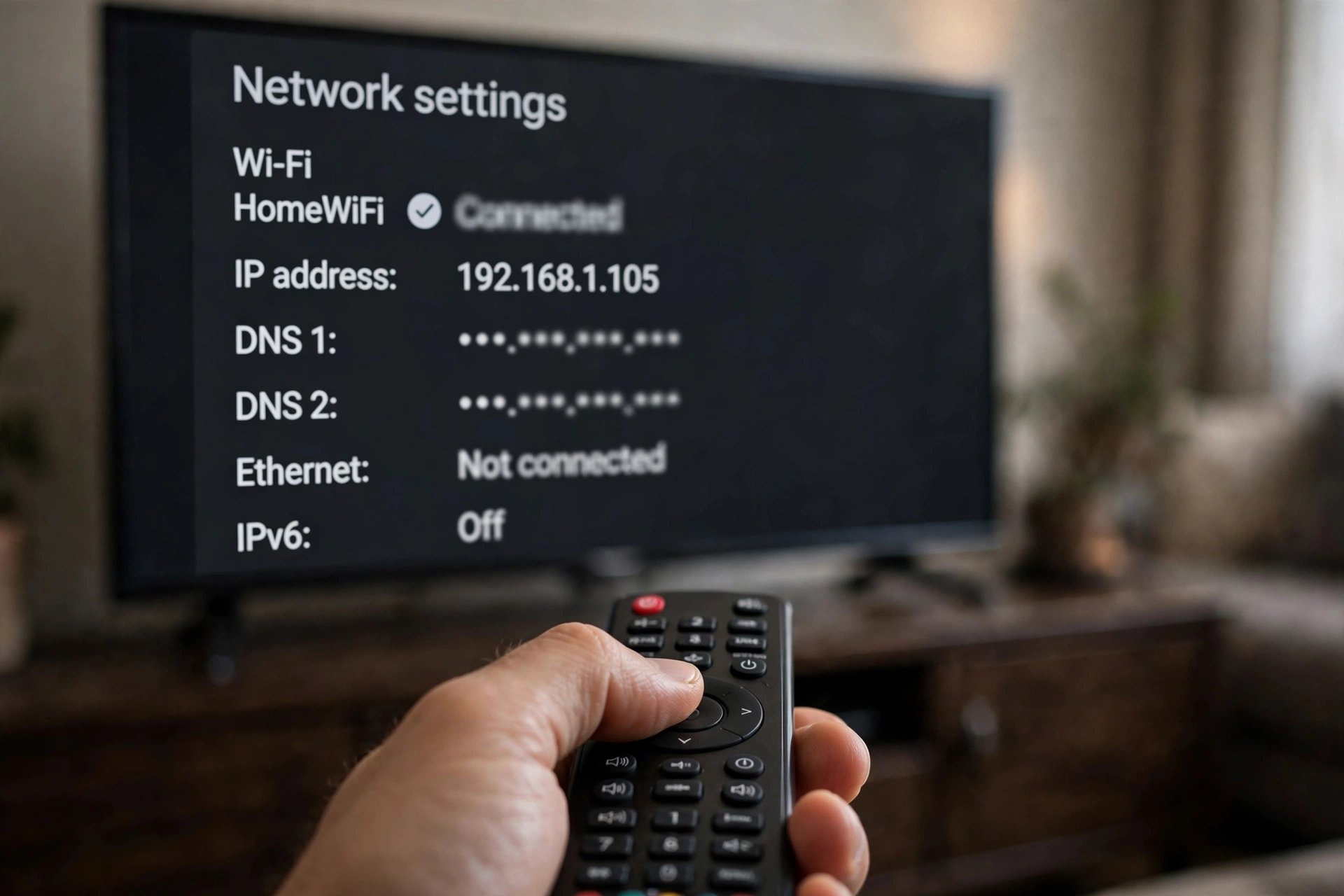
- On the router (fixes every device at once): open the router admin page (usually 192.168.0.1 or 192.168.1.1), find DNS settings, set Primary 1.1.1.1 and Secondary 8.8.8.8, save, restart the router.
- On Android TV / TV Box: Settings → Network → your Wi-Fi → Advanced/IP settings → Static, then enter the same DNS values (note your current settings first).
- On Firestick: Settings → Network → your network → forget and reconnect with Advanced options to enter DNS manually — fiddly, the router method is easier.
- On Android phones: Settings → Network → Private DNS → set to a private DNS hostname such as one.one.one.one (Cloudflare).
Then fully close and reopen YouCine. If it loads, your block was DNS-based and you are done.
Fix 2: The Honest Limits — When DNS Cannot Help
If the provider blocks by IP address, or the service’s servers were actually seized/taken offline, no DNS change reaches them — the destination itself is gone, not just its signpost. Signs you are in this case: the app fails on data AND Wi-Fi for everyone you ask, at the same time, and down-checker discussions show a general outage. The only honest advice then is to wait; these services typically resurface on new infrastructure, which is also why the app sometimes “fixes itself” days later. Anyone selling you a guaranteed unblock is selling.
About VPNs: What They Can and Cannot Do
A VPN reroutes your traffic through another network, so it can bypass a local DNS/IP block — that is a fact. Three other facts belong beside it: it usually costs speed (relevant if your line already struggles — see our lag-reduction guide); free VPNs are the riskiest software category in this whole niche; and a VPN changes your privacy from your provider — it does not change the legal status of the content you watch, in either direction. Decide with all four facts, not one.
Not a Block: The 3 Look-Alike Causes
- Server outage for everyone: fails on data too, friends on other providers confirm it, down-checker chatter spikes. Wait.
- An outdated app build: the service changed something and old versions stopped connecting — update to the current version (v1.17.6) from the official download page, which is also step order in our TV Box guide for box users.
- Your router itself: every other app also misbehaves on Wi-Fi, and a router restart fixes all of them — that was never a block, just tired hardware.
YouCine Não Carrega no Wi-Fi? (Português)
O teste de 60 segundos: no mesmo celular, abra o YouCine no Wi-Fi e depois só nos dados móveis. Se funciona nos dados e não no Wi-Fi, o app e sua conta estão bem — o bloqueio está na sua rede, algo comum no Brasil com os bloqueios por operadora (operações coordenadas pela Anatel). A correção: troque o DNS para 1.1.1.1 (Cloudflare) ou 8.8.8.8 (Google) — no roteador (resolve para todos os aparelhos) ou nas configurações de rede da TV Box/Android TV. Atenção: se o bloqueio for por IP ou o servidor tiver caído de verdade, DNS não resolve — aí é esperar. E VPN não muda a situação legal do conteúdo, só o caminho da conexão.
Frequently Asked Questions
Because the block sits on your home provider’s path (DNS or IP level), not in the app. Brazil’s rolling ISP blocks produce exactly this split symptom — one network works, the other does not.
No — it works when the block is DNS-based, which is common but not universal. IP-level blocks and full server takedowns cannot be fixed by DNS. Anyone promising a guaranteed unblock is not being straight with you.
Run the test: if it fails on mobile data too and other people on other providers report the same, it is a general outage. If it works on data, it is your network path.
The box may hold old DNS settings, an outdated app build, or its own network fault. Set the box’s DNS manually to 1.1.1.1 and update the app on the box.
A VPN changes the route your traffic takes and hides it from your provider. It does not change the legal status of the content, and free VPN apps bring their own risks.
Não — usar DNS públicos conhecidos (1.1.1.1 da Cloudflare, 8.8.8.8 do Google) é uma configuração normal de rede e pode ser desfeita a qualquer momento voltando para “automático”.
Final Thoughts
The data/Wi-Fi split is the most informative symptom in all of YouCine troubleshooting: it acquits your app, your account and your TV in one minute. If it is a DNS block, you now have the fix; if it is bigger than that, you have the truth — which, in this niche, is the rarer commodity.