YouCine Keeps Crashing or Closing by Itself? 9 Fixes by Symptom
The film is ten minutes in — or the app does not even reach the menu — and YouCine simply vanishes back to the home screen. Crashes feel random, but they are not: WHEN the app closes tells you WHY it closes. Match your timing below and fix the real cause.
Quick Answer
Quick Answer: Most YouCine crashes come from five causes: corrupted app data, too little free storage/RAM, an outdated app or Android System WebView, battery optimisation killing the app on phones, and overheating on cheap TV boxes. Start with the free wins: restart the device, clear YouCine’s cache (Settings → Apps → YouCine → Storage → Clear cache), keep at least 1 GB storage free, and update the app to v1.17.6. Then use the timing table below — a crash at launch, mid-playback and right after an update are three different faults.
Our broader Not Working guide covers every failure type; this page is only about one symptom — the app closing by itself — because it has its own diagnosis. Randomly reinstalling is the worst response: it deletes your data and, half the time, keeps the cause. Diagnose by timing first.
Diagnose First: When Does It Crash?
- Crashes instantly at launch, every time → corrupted data or a broken update → Fixes 1, 2, 6.
- Crashes after a few minutes of playback → memory/storage pressure or overheating → Fixes 3, 4, 8.
- Started crashing right after an update → version conflict → Fix 6 (and the rollback note).
- Crashes only on one specific title → that title’s file/source, not your app → Fix 9.
- Crashes only on the phone, fine on TV → battery optimisation → Fix 5.
Find your row, then work its fixes in order.
Fix 1: Restart the Device Properly
Not the app — the device. Close YouCine, then restart (on TVs and boxes, unplug for 30 seconds). A device that has been in standby for weeks accumulates exactly the stuck states that close apps without warning. This alone ends a surprising share of “it just started crashing” reports.
Fix 2: Clear Cache — Then Data If Needed
Settings → Apps → YouCine → Storage → Clear cache. Corrupted temporary files are the classic cause of launch crashes. If it still closes at launch, Clear data as well (this signs you out — sign back in after). Do cache first: it keeps your session, and it is enough most of the time.
Fix 3: Free Up RAM — Close the Background Pile
On 1–2 GB RAM TV boxes and older phones, YouCine is often killed by the system, not by itself. Close other apps before watching; on TV boxes, remove home-screen widgets and uninstall apps you never open. If crashes happen a few minutes into playback and the box feels hot to the touch, that is Fix 8.
Fix 4: Keep at Least 1 GB of Storage Free
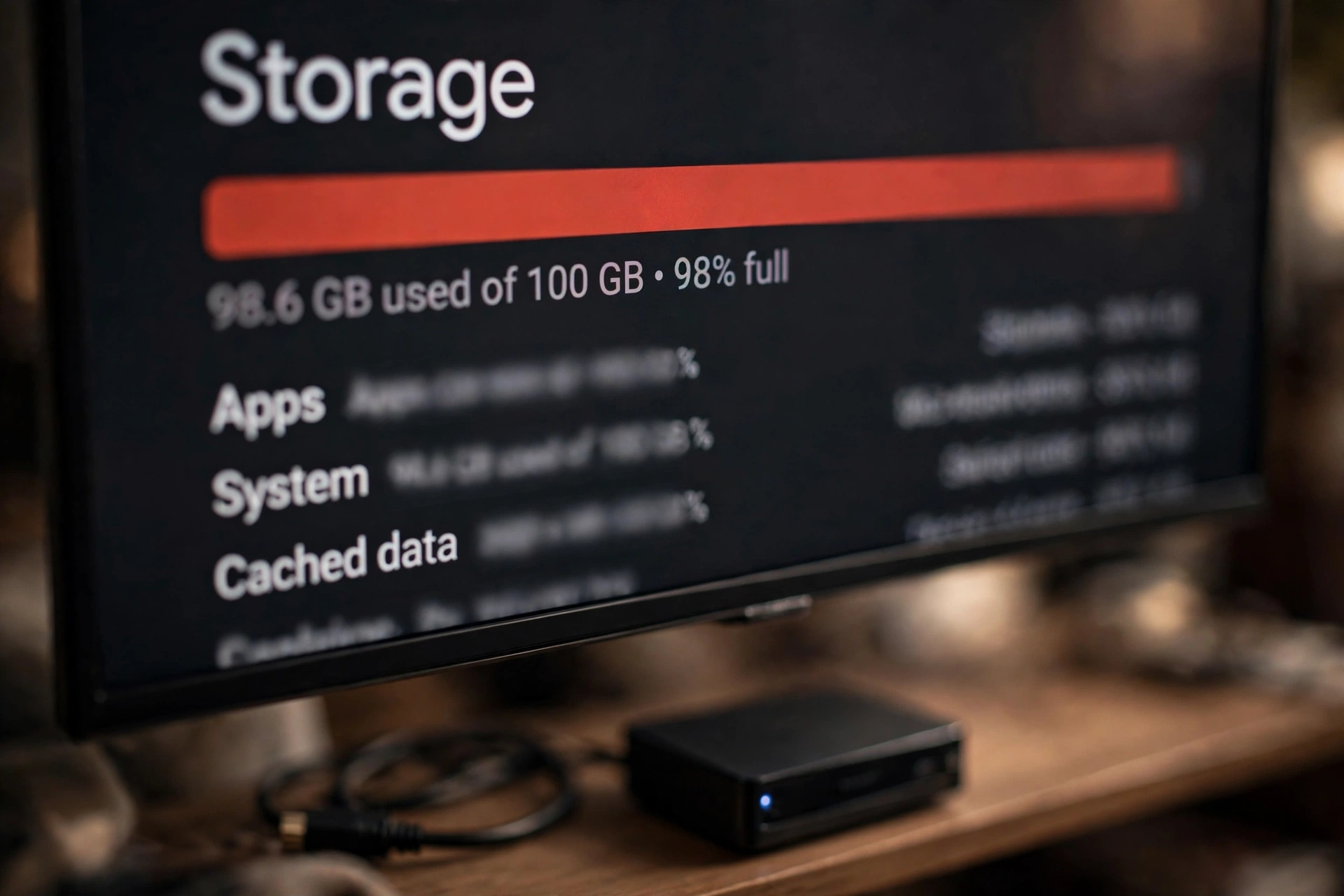
Devices nearly out of storage misbehave in crash-shaped ways: the player cannot buffer, thumbnails cannot cache, updates half-install. Check Settings → Storage; below ~500 MB free is the danger zone. Delete downloaded files and unused apps until you have 1 GB or more free, then restart.
Fix 5: Stop Battery Optimisation Killing It (Phones)
On Samsung, Xiaomi and similar phones, aggressive battery savers close background-heavy players mid-session — the app “crashes” on a schedule set by the phone. Fix: Settings → Apps → YouCine → Battery → set to Unrestricted (exact wording varies). Also update Android System WebView from the Play Store — an outdated WebView quietly causes force-closes in many media apps, and almost no crash guide bothers to mention it.
Fix 6: Update the App — or Repair a Bad Update
An old build on a newer Android (or a half-applied update) crashes at launch. Install the current version over the top using our update guide — it keeps your settings. If crashing began immediately after updating and nothing else works, that guide’s clean-reinstall steps (uninstall → restart → install) are the repair.
Fix 7: The Black Screen Cousin
If the app does not close but the picture dies while sound continues, that is not this fault — it is the black screen problem, with its own fix order in our Black Screen guide. Treating one as the other wastes an evening.
Fix 8: Overheating on Cheap TV Boxes
Budget boxes stuffed in closed TV cabinets overheat during long HD/4K sessions, and thermal shutdowns look exactly like app crashes. Test: move the box into open air, lower the playback quality one step, and watch a full title. If the crashes stop, it was heat — keep the box ventilated. Our TV Box guide covers the wider box-health picture.
Fix 9: One Title Only? Blame the Title, Not the App
If everything plays except one film or episode, that file or its source is broken. Try the same title again later, or a different title to confirm. No setting on your device repairs a bad file on the other end — and reinstalling your whole app for one broken title is the definition of treating the wrong patient.
YouCine Fecha Sozinho? (Português)
Quando o YouCine fecha sozinho, o momento da queda aponta a causa: fecha ao abrir = dados corrompidos ou atualização quebrada (limpe o cache em Configurações → Apps → YouCine → Armazenamento); fecha depois de alguns minutos = memória cheia ou superaquecimento da TV Box (mantenha 1 GB livre e ventile a box); começou depois de atualizar = atualize de novo por cima ou reinstale limpo; fecha só no celular = a economia de bateria está matando o app (deixe a bateria “sem restrições” para o YouCine). E se fecha só em um filme, o problema é o arquivo, não o app.
Frequently Asked Questions
Usually corrupted cache/data, a device low on storage or RAM, battery optimisation on phones, an outdated app or WebView, or an overheating TV box. The timing of the crash (launch, mid-playback, after an update) points to which one.
No — your account is server-side. Clearing data signs you out and resets device settings; sign back in and everything account-side returns. Clear cache first; it keeps your session and fixes most launch crashes.
TV boxes have far less RAM and storage, and they overheat in cabinets. Free 1 GB+, close background apps, ventilate the box — box crashes are device limits far more often than app bugs.
Reinstall the update cleanly: uninstall, restart the device, install fresh from the official download page, sign in. A half-applied update is the usual cause.
Only some causes (corrupt installs, bad updates). If the cause is storage, RAM, heat or battery settings, a reinstall changes nothing — diagnose by timing first.
Limpe o cache, deixe pelo menos 1 GB livre, tire a box de dentro do móvel fechado (superaquecimento) e atualize o app para a versão atual.
Final Thoughts
A crash is a symptom with a timestamp, and the timestamp is the diagnosis. Match yours, apply the two or three fixes in its row, and YouCine stops vanishing — without the reinstall roulette that deletes your data and keeps the cause.