YouCine Not Working? 12 Fixes for Crashes, Black Screen & Loading Errors (2026)
Crashing, black screen, endless loading or error messages — work through these fixes in order; most people are watching again within five minutes.
Quick Answer
When YouCine stops working, do these four things first: (1) force-close and reopen the app, (2) restart your device, (3) clear the app’s cache, and (4) update to the latest version (v1.17.6) from youccine.com/download. These four steps fix the large majority of cases. If the app still fails, continue with the full checklist below.
🇧🇷 Prefere português? Este guia também está disponível em português: YouCine Não Funciona? 12 Correções
YouCine not working is almost never one single problem. The same symptom — a black screen, a crash on opening, a video that never starts — can come from a full cache, an old version, a weak connection, a device restriction, or a temporary server issue. That is why random tips fail: the order matters. This guide starts with the fastest, safest fixes and moves step by step toward the stronger ones, so you stop as soon as your app works again.
First: The 60-Second Checks
Before changing any setting, rule out the simple causes:
- Restart the app completely (swipe it away from recent apps, then reopen).
- Restart the device itself — TVs and boxes that stay on for weeks slow down badly.
- Open another app or a website to confirm your internet actually works.
- Check the time: if YouCine fails on every device in the house at once, it is likely a temporary server problem — wait 30–60 minutes and try again (Fix 7 explains how to tell).
The 12 Fixes (In Order)
Fix 1: Force-Close and Reopen YouCine
Apps get stuck in a bad state after updates or long sessions. Force-close it (Settings → Apps → YouCine → Force stop on Android/Firestick/TV box; inside the emulator on PC), wait ten seconds, and reopen. This alone clears a surprising number of “won’t open” cases.
Fix 2: Restart Your Device — Properly
Unplug TVs, Firesticks and TV boxes from power for 30 seconds instead of just using the remote’s sleep button. Phones: a full restart, not just locking the screen. A real restart clears temporary memory problems that a force-close cannot.
Fix 3: Clear the App Cache
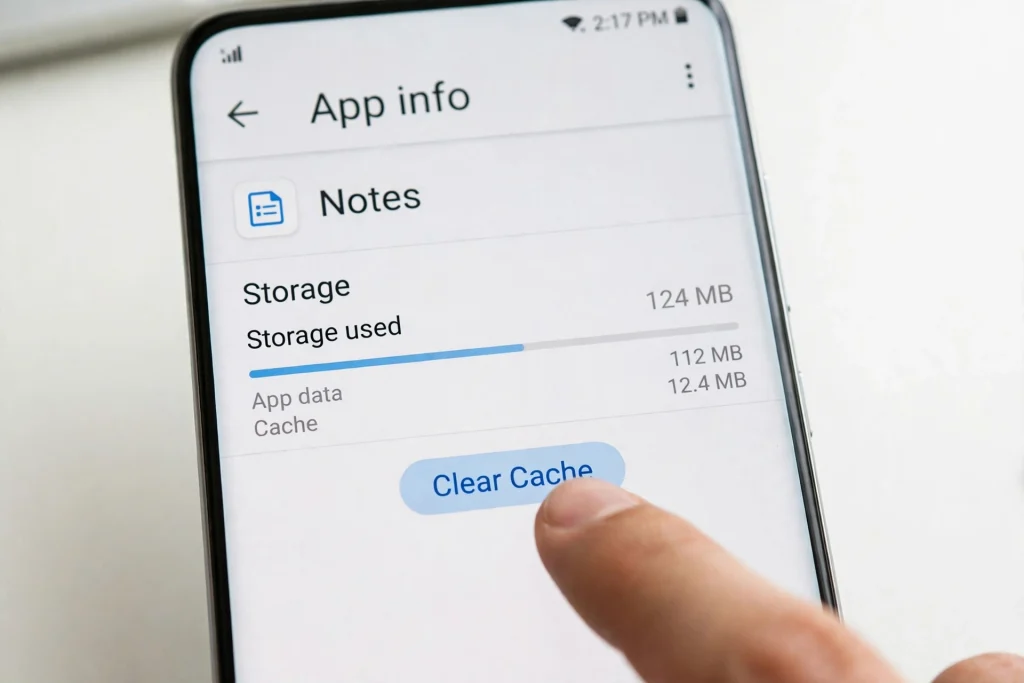
A bloated or corrupted cache is the number one cause of crashes, freezing and videos that refuse to start. Go to Settings → Apps → YouCine → Storage → Clear cache. This does NOT delete your account or settings. Only if the problem continues, use Clear data as well — that resets the app completely, so you will sign in again.
Fix 4: Update to the Latest Version
Old versions stop working when servers or formats change. Your installed version is shown inside the app’s settings; the current version is v1.17.6. Update by installing the newest file from youccine.com/download OVER the existing app — your settings carry over, and you avoid the signature errors that uninstalling first can cause.
Fix 5: Check Your Connection the Right Way
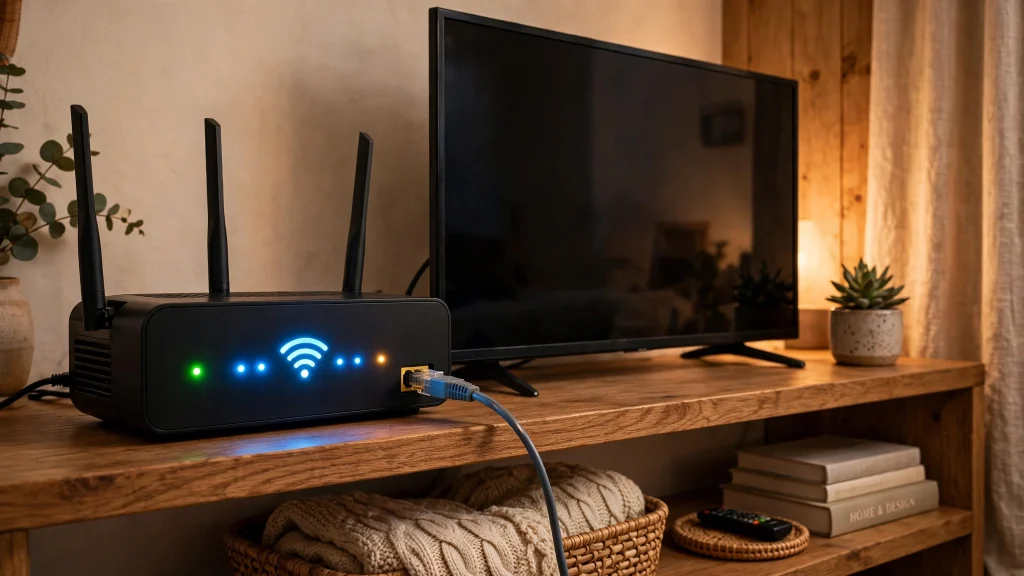
Streaming needs a steady connection, not just a fast one on paper. Test with the device you actually watch on: HD needs roughly 10 Mbps free, 4K about 25 Mbps. Move closer to the router, switch from a crowded Wi-Fi band, or use an ethernet cable on TVs and boxes. If videos start but keep pausing, our guide on why YouCine keeps buffering covers the connection causes in depth.
Fix 6: Turn Off VPN or DNS Blockers (Briefly, to Test)
Some VPNs, private DNS settings and ad-blockers block the app’s servers, which looks exactly like “YouCine is down”. Turn them off for one minute and reopen the app. If it works without the VPN, your VPN/DNS was the problem — switch its server or add YouCine to its allow-list.
Fix 7: Rule Out a Server Problem
If YouCine fails the same way on two different devices and two different networks (for example home Wi-Fi and mobile data), the problem is almost certainly on the server side, not your device. There is nothing to fix locally — wait and retry later. Repeated reinstalling during a server outage only wastes time and loses your settings.
Fix 8: Free Up Storage Space
Devices with nearly full storage make apps crash and updates fail. Keep at least 500 MB free: delete the downloaded APK after installing, remove unused apps, and clear other apps’ caches. TV boxes and Firesticks fill up fastest — check them first.
Fix 9: Fix the Black Screen Specifically
Sound but no picture (or a fully black screen) usually means a display conflict, not a dead app: (1) clear cache and data (Fix 3), (2) on PC emulators switch the graphics renderer (OpenGL ↔ DirectX), (3) on phones turn off battery saver for YouCine (Settings → Apps → YouCine → Battery → Unrestricted), (4) lower the playback quality inside the app, and (5) update the app. Our device guides (linked below) give the exact menus per device.
Fix 10: Check Date, Time and Permissions
Wrong device date/time breaks secure connections, so set it to automatic. Then confirm YouCine still has its storage/media permission (Settings → Apps → YouCine → Permissions) — updates and cleaners sometimes revoke it, and without it videos cannot load or cache.
Fix 11: If Login Suddenly Fails
When the app opens but will not log you in: retype your details carefully (passwords are case-sensitive), restart the app, and confirm your subscription is still active — expired plans look like login errors. Our renewal guide walks through the account side step by step.
Fix 12: Clean Reinstall (Last Resort)
Still not working? Do a full clean install: (1) uninstall YouCine, (2) restart the device, (3) download the fresh file from youccine.com/download — never from random APK sites, whose modified copies cause exactly these problems — (4) install and sign in. A clean reinstall after a restart fixes every software-side cause on this list.
Fixes by Device (Quick Links)
Menus differ per device, so for the exact steps on yours, jump to the problem sections of our device guides: Firestick guide, Android TV guide, TV Box guide, Mobile guide and PC guide. If your issue is specifically choppy, out-of-sync playback rather than a full failure, the lag fixes are the right page.
YouCine Não Funciona? Correções Rápidas (Português)
Se o YouCine não abre, fica travando ou mostra tela preta, siga estes passos na ordem — eles resolvem a maioria dos casos:
- Feche o aplicativo completamente e abra de novo.
- Reinicie o aparelho (celular, TV Box ou Fire TV Stick) — tire da tomada por 30 segundos, se possível.
- Limpe o cache: Configurações → Aplicativos → YouCine → Armazenamento → Limpar cache.
- Atualize para a versão mais recente (v1.17.6) baixando de youccine.com/download e instalando por cima da versão atual.
- Teste sua internet: para HD, você precisa de cerca de 10 Mbps livres; aproxime-se do roteador ou use cabo de rede.
- Desative VPN ou DNS privado por um minuto e teste de novo — eles podem bloquear os servidores do app.
- Se o YouCine não carrega em nenhum aparelho da casa, pode ser uma instabilidade temporária do servidor: aguarde e tente mais tarde.
- Persistindo, desinstale, reinicie o aparelho e instale novamente a partir da página oficial de download.
O guia completo acima, em inglês, traz todas as 12 correções com detalhes para cada aparelho (celular, TV Box, Firestick, Android TV e PC).
Frequently Asked Questions
Usually a corrupted cache or an outdated version. Clear the cache (Fix 3), update to v1.17.6 (Fix 4), and restart the device. If it still crashes, do the clean reinstall in Fix 12.
Test the app on a second device using a different network (for example mobile data instead of Wi-Fi). If it fails everywhere, it is a temporary server problem — wait 30–60 minutes. If it works on one network, the problem is local: start at Fix 5.
Clearing cache deletes nothing important. Clearing data resets the app, so you sign in again — your account itself is not deleted.
A display/renderer conflict. Follow Fix 9: clear cache and data, switch the emulator renderer on PC, disable battery restrictions on phones, and update the app.
A partial update or a signature clash with the old copy. Uninstall, restart the device, and install the fresh file from youccine.com/download.
Boxes fill storage and stay on for weeks. Restart the box, free at least 500 MB, and update the app — the TV Box guide has the exact menus.
Geralmente é cache corrompido ou versão antiga. Limpe o cache, atualize para a v1.17.6 e reinicie o aparelho. Se continuar, desinstale e instale novamente a partir de youccine.com/download.
Limpe o cache e os dados do aplicativo, atualize para a versão mais recente e, no celular, desative a economia de bateria para o YouCine. No PC, troque o renderizador gráfico do emulador (OpenGL/DirectX).
Verifique sua internet (10 Mbps livres para HD), aproxime-se do roteador ou use cabo, limpe o cache e feche outros aplicativos abertos no aparelho.
The app’s name is written without an accent — YouCine — but many people search for it as “yoúcine”. Both spellings mean the same app, and every guide on this site covers it.
Final Thoughts
When YouCine is not working, resist random reinstalling: the order on this page — restart, cache, update, connection, then reinstall — fixes the cause instead of guessing. Nearly every case is solved by Fix 4 at the latest. Keep the app updated from the official download page, keep 500 MB free, and restart your TV or box once in a while; those three habits prevent most of these problems from coming back.